
Appearance
Exports & audit trail
By the end of this guide you can export your data for recordkeeping and understand how CryptoComply keeps an audit trail of every change. It takes about five minutes.
Compliance work has to be defensible — you need to show an auditor or regulator not just the current state, but what changed, when, and why. CryptoComply handles this in two ways: data exports and an automatic change-management audit trail.
Export your data
The Profiles, Blockchain Addresses, and Alerts tables each have an Export Table button.
- Select the rows you want, or export the whole filtered table.
- Exports run in the background; you get a notification when the file is ready to download.
- The export matches what you see on screen — the same columns and filters — with no hidden fields.
- For a blockchain-address CSV export, a column-selection dialog lets you pick exactly which columns to include before the file is generated.
Use exports for internal compliance reports, audit packages, and offline recordkeeping. For a single counterparty, you can also generate a PDF report from a profile's or address's Actions menu.
Require a reason for changes
Open Settings → Change Management Policy to decide which field changes require a written justification.
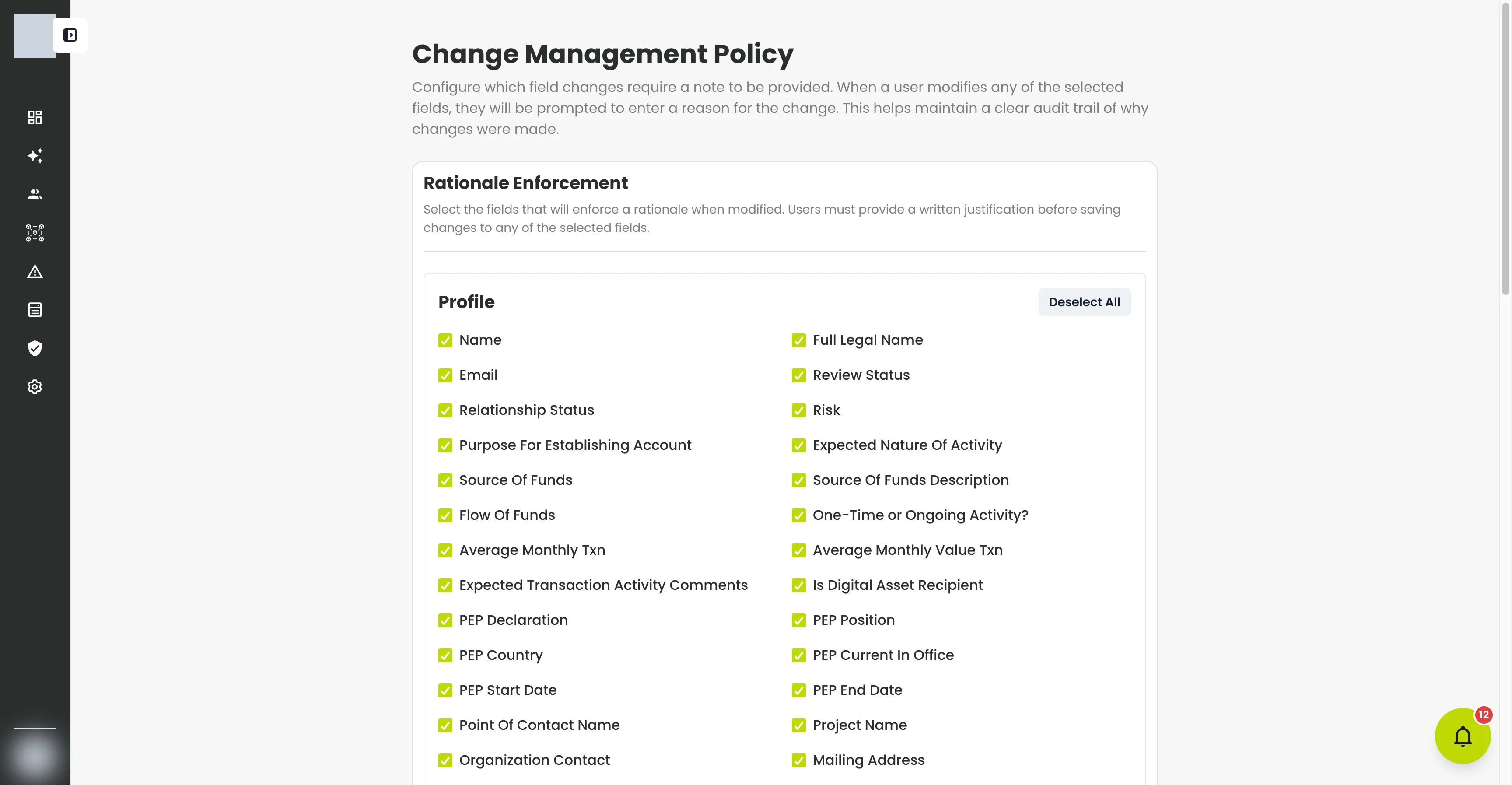
Under Rationale Enforcement, select the fields — across both Profile and Blockchain Address records — that should prompt for a reason when edited. From then on, anyone changing one of those fields must enter a rationale before saving.
This is how you enforce, for example, that a change to a profile's Risk rating or Source of Funds always comes with a documented justification.
Review the change history
Every change to a profile or blockchain address is recorded in its audit log: who made the change, what the value was before and after, and the rationale they gave. The log is filterable and can be exported alongside your other data.
Changes made through an API key are attributed to the person who owns the key, not to a generic "system" actor — so activity driven by an integration is traceable back to a real user, exactly like a change made in the web app.
What just happened?
You didn't have to turn logging on. CryptoComply records changes automatically; the Change Management Policy just decides which of them also demand a written reason. Together they give you a complete, attributable history for any record.
Confirm who gets notified
Part of a defensible program is being able to show that the right people hear about the right events. If you're an organization admin, open Settings → Notifications to audit your organization's notification subscriptions in two views:
- By event — every notification type, the members who receive it, and a count per channel. Use it to confirm that critical events — a high-risk screening result, for example — actually reach the people who need them.
- By user — a single member's full notification matrix: every event and whether they receive it by email, in-app, or not at all.
What's next?
- Manage profiles — where rationales are captured as you edit.
- Review alerts — another part of the record that exports cleanly for audits.
Troubleshooting
| Problem | Fix |
|---|---|
| The export is empty | Clear filters that exclude everything, or select rows before exporting. |
| My export hasn't arrived | Exports run in the background — wait for the notification, and check that large exports have finished. |
| I wasn't prompted for a reason on a change | That field isn't enabled in Change Management Policy, or your role isn't subject to it — check the settings. |
| I can't open Change Management Policy | It's an admin setting; ask an organization admin if you don't see it. |