
Appearance
Ask AI
By the end of this guide you can ask CryptoComply's built-in assistant about your compliance data in plain language and get answers drawn from your real records. It takes about five minutes.
CryptoComply AI (also called Comply) is a virtual compliance assistant built into the app. It can read your profiles, blockchain addresses, alerts, and policies — with your permissions — and answer questions, summarize records, take action on your behalf, and help you decide what to do next. It runs on Anthropic's latest Sonnet model and is built for multi-step research across your organization's data — pulling from several records and reconciling them in one answer, rather than one lookup at a time.
Open AI Assistance
Click AI Assistance in the sidebar to open the full assistant. The welcome screen shows what it can do and offers a few prompts to get you started.
The assistant also travels with you: a panel is available directly on profile, alert, blockchain-address, and intake-form pages, so you can ask about the record you're looking at without leaving it.
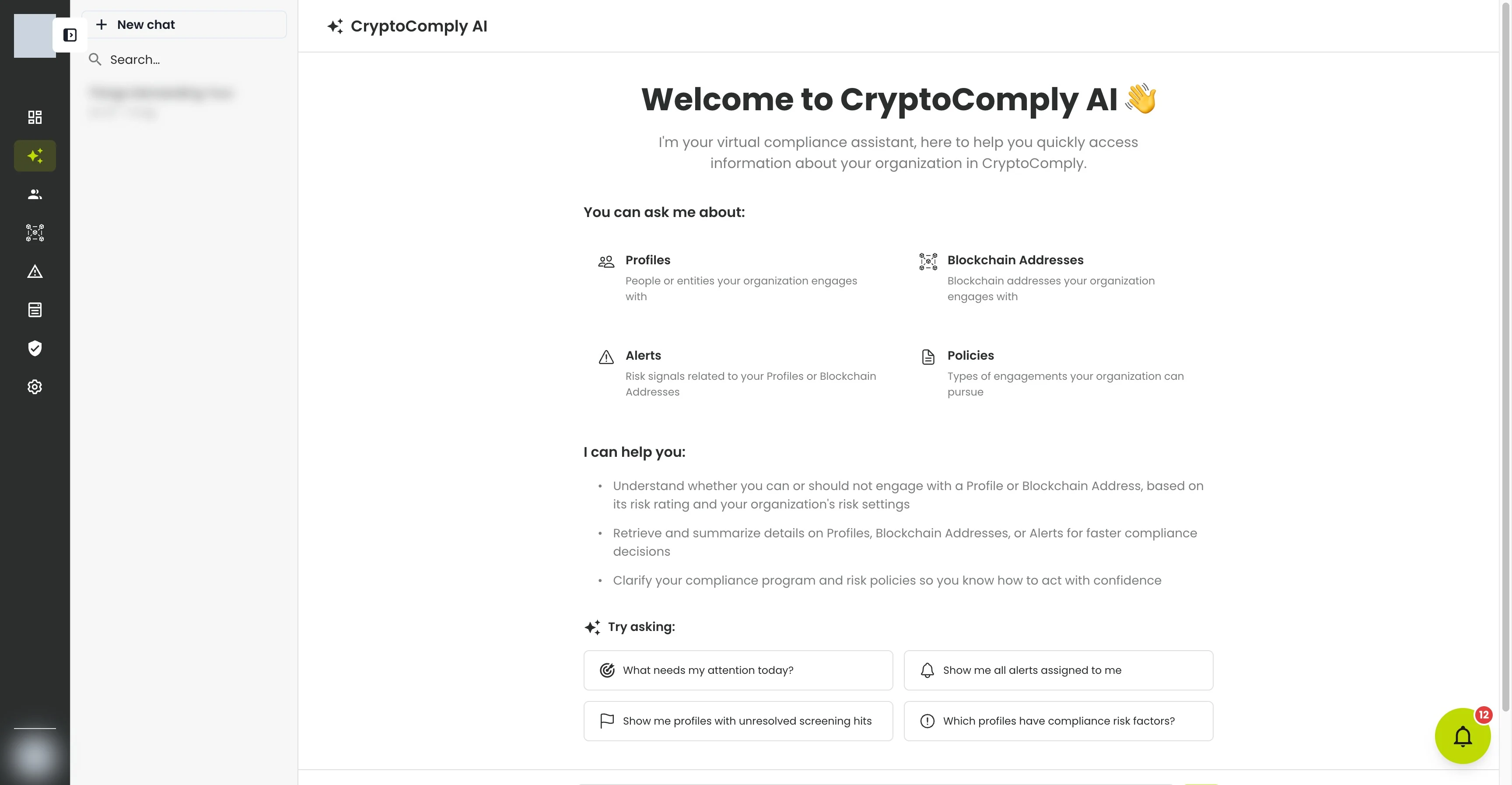
It can pull from four areas of your workspace:
- Profiles — the people and entities you engage with.
- Blockchain Addresses — the wallets you screen.
- Alerts — risk signals on your profiles and addresses.
- Policies — the types of engagement your organization allows.
Ask a question
Type into Ask anything, or click one of the suggested prompts such as "What needs my attention today?" or "Show me all alerts assigned to me." The answer streams back in real time and renders in full Markdown — headings, lists, tables, and links. Every step it takes — each record it consults and each tool it calls — appears in a collapsible track under the answer, so you can audit the reasoning, not just the result. Answers are always drawn from your live records; the assistant looks things up rather than guessing.
Good things to ask:
- "Summarize this profile's KYC posture and flag anything stale."
- "Which profiles have unresolved screening hits?"
- "Can we engage with this address given our risk settings?"
- "Show me my riskiest wallets." — it can now sort by risk level and by most recently updated, not just by name.
Ask across your whole book
Beyond a single record, Comply can analyze your profiles together — the kind of review that used to mean exporting and reconciling several lists by hand. Try:
- "Give me a table of all profiles with their wallet risk, watchlist and adverse-media findings, and open RFIs." — a single joined view across the whole book.
- "Which profiles are marked 'RFI Sent' but never had a request actually sent?" — catches stuck requests.
- "Find profiles that might be duplicates or coordinated." — clusters by shared phone number, email domain, or bio URL.
- "Flag any profiles with suspicious identity signals." — surfaces credential anomalies (an email handle that's a phone number, a handle appearing in someone else's name, and similar) as leads to investigate, each with a confidence level.
- "Break down my profiles by group and by risk level." — analytics grouped the way you work.
Let Comply do the work
Comply can act, not just report. Before anything is written it shows you a summary of exactly what will change and waits for your go-ahead. You can ask it to:
- Move profiles through review in bulk — transition up to 100 profiles to a new review status in one request.
- Add a note to many profiles at once — the same note across up to 500 profiles.
- Manage tags — add, remove, or replace tags across a set of profiles or addresses.
- Revise a recorded hit decision — reopen a resolved screening hit (True Match or False Positive) and change the verdict when new information arrives, as long as you write what changed. The audit trail records it as a revision.
Work with your conversations
- New chat starts a fresh conversation; past ones are saved per user, per organization in the left panel and are searchable. Reopen any one from the sidebar to pick up where you left off.
- Conversations are auto-titled from the first exchange, and you can rename them.
- You can edit any earlier message and have Comply regenerate from that point, and cancel a response while it's still generating.
- Give a response a thumbs-up or thumbs-down to help improve answers.
What just happened?
This isn't a generic chatbot. The assistant queried your live CryptoComply records — the same profiles, alerts, and addresses you see in the app — and only what your role is allowed to see. That's why it can answer about your organization specifically.
Keep in mind
- The assistant works within your permissions — it can't surface anything your role can't already access.
- As the in-app notice says, AI can make mistakes. Double-check important details before acting on them.
- Want to use CryptoComply from Claude, ChatGPT, Goose, or another AI tool instead of the in-app assistant? See the MCP integration guide.
What's next?
- Review alerts — act on what the assistant surfaces.
- Manage profiles — open the records it summarizes.
- Connect an AI assistant (MCP) — bring CryptoComply into your own AI tools.
Troubleshooting
| Problem | Fix |
|---|---|
| The assistant can't find something you expect | It only sees what your role can. Check your permissions, or that you're in the right organization. |
| An answer looks off | Regenerate the response, or rephrase. Always verify important details against the actual record. |
| You want to start over | Use New chat for a clean context rather than continuing a long thread. |